DEVELOPMENT LOG & GAME GUIDE · 21 OCTOBER 2026
Pocket Play: a pixel handheld with 139 mini games
A browser collection built around small games, quick retries and a handheld-style interface. Here is how to get started, what we checked, and where the project comes from.
Play Pocket Play → 中文开发日志和攻略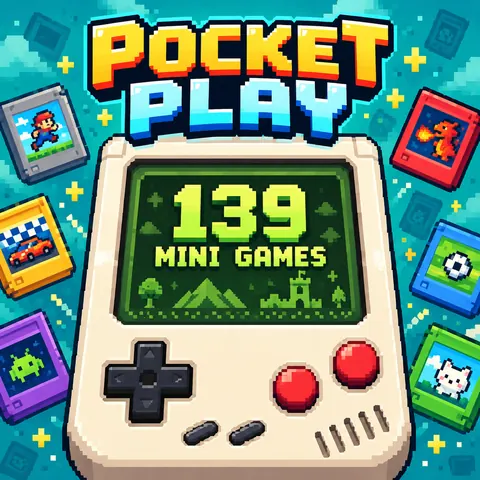
Start with the controls, not the score
The game library contains 139 selectable titles. Open SELECT or Game Library to choose one, or use B to move to the next cartridge. The How to Play button describes the rules for the currently selected game, including what ends a run. Read it before starting: a quick tap and a held button can do different things.
| Control | What it does |
|---|---|
| A / Space / Z | Main action. Tap or hold depending on the selected game. |
| Direction pad / arrow keys | Pointer or movement control in games that require it; not every game uses it. |
| B | Next game. |
| SELECT / Game Library | Choose or search for a cartridge; open the sticker album. |
| START / Enter | Pause or resume. |
Two games to try first
HOLES: watch the ball and the next barrier
Tap to change the opening in a barrier so balls can pass through and keep moving downward. The run ends when every ball is swept off the top of the screen. Watch the next barrier rather than tapping continuously: choose the opening that gives a falling ball a clear route. The title is the default cartridge in this release.
TAPPUMP: tapping and holding are different
Tap to jump; hold to inflate the ring. You need to manage both height and size while moving through obstacles and collecting targets. Hitting an obstacle or moving completely beyond the top or bottom ends the run. Start with short inputs, observe the ring's movement, then adjust your hold time. Rapid tapping alone is not a substitute for reading the space ahead.
Settings, stickers and saved progress
The settings panel offers English, Chinese, Spanish and Indonesian, plus handheld appearance options. Open the sticker collection from the game library. Settings and supported game records live in this browser; they are not an account-based cloud save. Keep using the same browser and site address, and avoid clearing site data if you want to retain local records.
Development log: assembling the handheld experience
This release brings a cartridge library, unified A/B and direction controls, per-game instructions, pause handling, language menus and a sticker collection into one shell. The games run in an embedded view, so a shared controller translates inputs for the selected title. The interface is designed around a vertical handheld layout, while keyboard shortcuts make the same collection usable on a computer.
According to the project owner, most of the project was created with AI assistance. That describes the production workflow; it does not mean every underlying game mechanic is newly invented. The package includes games and adapted material credited to ABA Games, alongside third-party libraries. Original copyright and license notices are retained in the deployed files.
We checked the supplied build, tried HOLES and TAPPUMP, and exercised the game library, rules dialog and pause controls. These are sample checks, not a claim that all 139 games have been completed or tested on every device. The tips above combine those sample sessions with the rules displayed in the game.
Credits and further reading
Original game material: ABA Games. Read the included license and third-party notices. You can also inspect the credited ABA Games project.
Return to Pocket Play · Explore arcade games · More game guides
中文:开发日志和游戏攻略
Pocket Play 是一套像素掌机风格的网页小游戏合集,当前游戏库有 139 款可选游戏。打开 SELECT 或“我的游戏卡带”选择游戏,B 切换下一款;每款游戏的“玩法”面板分别说明操作和失败条件。
先认识操作
A 是主要操作,电脑也可以用空格或 Z。点按和按住的作用可能不同,不要把所有游戏都当作连续点击。方向键用于需要指针或移动控制的游戏;START 或回车暂停、继续。游戏库还提供搜索和贴纸收藏入口,设置中可以选择中、英、西班牙和印尼语。
HOLES:提前看下一道挡板
点击切换挡板洞口,让小球穿过并继续向下。所有球都被卷出屏幕上方就结束。建议先看下一道挡板与小球的位置关系,再决定是否切换,避免无目的连点。
TAPPUMP:区分轻点与长按
轻点跳起,按住给圆环充气;同时控制高度和大小,穿过障碍并收集目标。撞到障碍,或整体飞出屏幕上下边界都会结束。可以先用短输入观察变化,再逐渐调整按住时长。
这次做了什么
这一版将游戏卡带库、统一操作按键、逐游戏规则、暂停、多语言、掌机外观和贴纸收藏集中在同一个界面。项目负责人说明,大部分项目制作采用了 AI 辅助;与此同时,包内明确包含 ABA Games 的开源游戏及改编内容,因此保留原作者署名和第三方许可,不能把底层玩法全部描述为 AI 原创。
本文基于提供的版本、界面规则,以及 HOLES 和 TAPPUMP 的抽样试玩整理。已检查游戏库、规则窗口与暂停操作;没有宣称完整玩通全部 139 款游戏。游戏记录及偏好保存在当前浏览器中,并非账号云存档,不要为了更新而清除网站数据。