Game guides

Choose a game to read its available instructions and controls.

Definitely Not Stolen — game cover
Game cover
Simulation · BROWSER GAME

Definitely Not Stolen

Play Definitely Not Stolen, a free pawn shop game. Inspect goods, buy low, sell for profit and explore a sci-fi city while keeping your shop safe and paying rent.

Free to play · No download

How to play ↓

Definitely Not Stolen

Made by H5games

Choose Play now to load the game. Open game separately ↗

Definitely Not Stolen

Play Definitely Not Stolen, a free pawn shop game. Inspect goods, buy low, sell for profit and explore a sci-fi city while keeping your shop safe and paying rent.

Read the full guide ↗

Read the development log ↗

How to play

Open your first shift
Switch on the green light and wait for the customer to reach the counter. Read the offer, item condition and buyer demand before committing your cash.

Inspect and sell to demand
Move eligible goods to the inspection area and compare their dates, serial numbers and brand marks. Buyers accept matching items within their remaining budget. Selling counterfeits can trigger complaints and lower reputation.

Keep space for the next deal
Arrange items in the inventory grid and rotate them when needed. The left 10 × 10 backpack area travels with you; leave space for finds before going out.

Prepare for rent
Closing the shutter does not advance the day; sleeping does. Rent is due every seven days, beginning at 20 coins and increasing by 5 each term. Unpaid rent carries over, and two refusals to pay trigger eviction. Reserve cash before buying more stock.

Keep your save
Progress belongs to this browser and website. Do not clear site data or confirm the reset option if you want to keep your shop.


Explore more games

More games to explore

What are you playing today?

Your games

Saved on this device. No account needed.

Favorites

Recently played

Add H5games to Home

Advertisement

More about Definitely Not Stolen
H5games/Simulation/Definitely Not Stolen
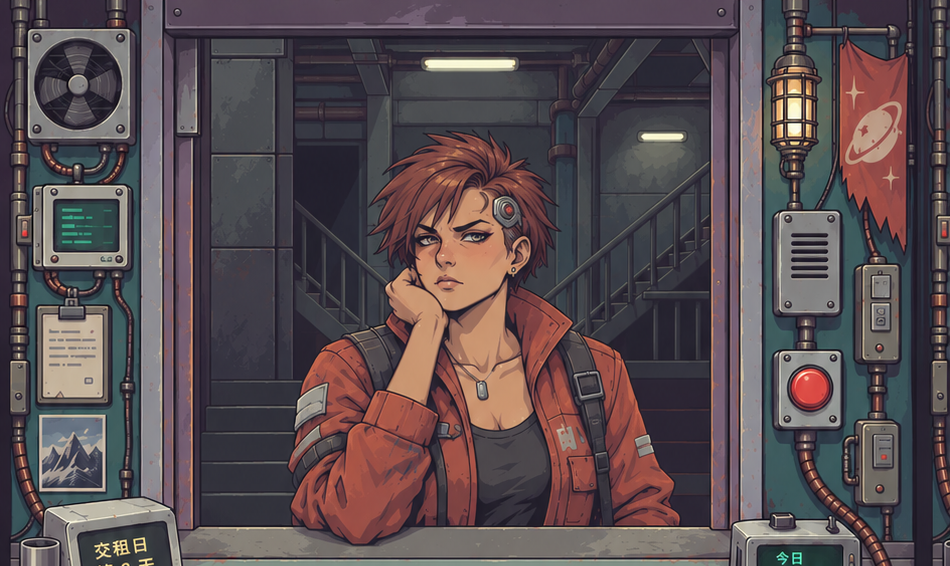
A customer waiting at the metal-framed window of a futuristic pawnshopNIGHT SHIFT / 0.1.0

AN H5GAMES ORIGINAL

Definitely Not StolenSurvival Shopkeeper

One counter. A city full of secrets.
Make enough to open again tomorrow.

Inspect unusual goods, buy low and sell to the right customer. Head into the city for supplies, build up your workshop and protect what you leave behind.

How to play ↓
Free browser gameMouse & touch4 languages
01 Inspect & trade02 Pack & explore03 Produce & protect04 Pay the rent

YOUR FIRST SHIFT

Keep the lights on.

Profit matters. So does what you choose to keep.

Read the full guide · English / 中文 ↗
  1. Open the shutter

    Choose your language and enter the shop. Switch on the green light, then wait for the customer. Read their price, condition and demand before committing.

  2. Inspect, organise, sell

    Move eligible goods into the inspection area and compare the details. Arrange your inventory and sell matching goods to buyers. Leave enough cash for rent and running costs.

  3. Choose your trip

    Search the abandoned city or scrapyard, buy parts at the underground market, or visit the workshop. Only the left 10 × 10 backpack area comes with you. After returning, sleep before going out or trading again.

  4. Secure the night

    Start your facilities, choose a lock or alarm, then sleep. Review the ledger the next day. Rent is due every seven days. The landlord records unpaid rent; refusing payment twice ends the run.

Before you start

Does the game save my progress?

Yes, in the current browser. Keep site storage enabled. Another device or website has a separate save, and clearing site data can erase progress.

How does the optional reward work?

Use the metal ad terminal beside the settings gear and choose to watch. Completing an available rewarded ad grants 200 coins. Cancellation, failure or no available ad grants nothing and spends no resources.

Which languages and controls are supported?

English, Chinese, Japanese and Korean are available on the loading screen. Use a mouse or touch to select, drag and rotate items. This guide covers the deployed 0.1.0 release.